/
Secondary Text
Secondary Text
- Gautam Thapar
Owned by Gautam Thapar
Button secondary text related options comes under this tab.
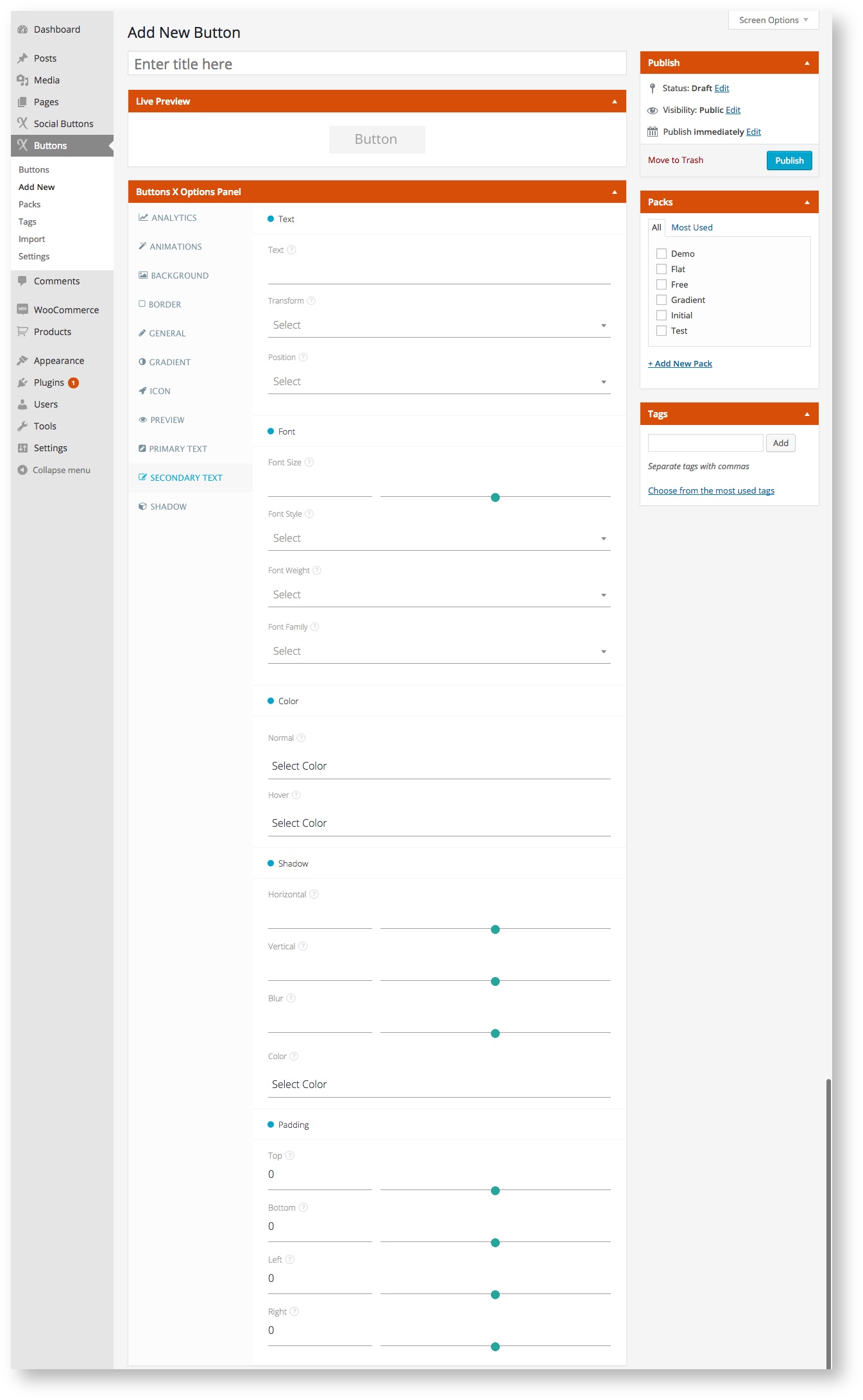
Available Options:
| Field Label | Field Type | Short Code Attribute | Default Value | Available Values | Description |
|---|---|---|---|---|---|
| Text | |||||
| Text | text | text_secondary | - | - | Add additional text for button. |
| Transform | select | text_secondary_transform | - | capitalize, uppercase, lowercase, inherit | This field controls the capitalization of text. |
| Position | select | text_secondary_position | - | same_line, new_line | Select additonal text position. Put the text on the same line as primary text or move it to a new line. |
| Alignment | select | text_secondary_alignment | - | left, right, center | Align the additional text as required. Left moves the text to the left of button, right moves the text right of the button and center keeps the text centered. |
| Font | |||||
| Font Size | range | text_secondary_font_size | 21 | - | Add font size in pixels. This will make your additional text bigger or smaller depending up on the value specified. |
| Font Style | select | text_secondary_font_style | normal | normal, italic, oblique, inherit | Select font style. This will style your additional text. Normal means as it is, italic means the text will appear slanted, oblique makes the text slanted + bold and inherit will get the style from parent element. |
| Font Weight | select | text_secondary_font_weight | normal | normal, bold, bolder, lighter, 100, 200, 300, 400, 500, 600, 700, 800, 900, inherit | Select font weight. This adds weight to text like bold makes the text stronger. 100 is lightest and 900 is boldest. |
| Font Family | select | text_secondary_font_family | - | All Google Web Fonts | Select font family. Choose from among 100's of Google Web Fonts to style primary text. |
| Color | |||||
| Normal | colorpicker | text_secondary_color_normal | #999 | - | Select text color. |
| Hover | colorpicker | text_secondary_color_hover | #777 | - | Select text color for when button is hovered. |
| Shadow | |||||
| Horizontal | range | text_secondary_shadow_horizontal | - | - | Add position of the horizontal shadow in pixels. |
| Vertical | range | text_secondary_shadow_vertical | - | - | Add position of the vertical shadow in pixels. |
| Blur | range | text_secondary_shadow_blur | - | - | Add blur radius in pixels. |
| Color | colorpicker | text_secondary_shadow_color | - | - | Pick shadow color. |
| Padding | |||||
| Top | range | text_secondary_padding_top | 0 | - | Set top padding for secondary text. |
| Bottom | range | text_secondary_padding_bottom | 0 | - | Set bottom padding for secondary text. |
| Left | range | text_secondary_padding_left | 0 | - | Set left padding for secondary text. |
| Right | range | text_secondary_padding_right | 0 | - | Set right padding for secondary text. |